

If you use Lightroom Classic CC or the cloud-based Lightroom CC and you’re looking for a way to share your vacation photos with friends, your latest portrait shoot with a client, or any collection / album with anyone, you can do this right from Lightroom – anyone you give the collection/album link to can view a gallery of your photos on the web, and if you choose to allow it, they can also download your photos.
While this article is long, the process really isn’t difficult – the second time you share an album or collection, it will go quite fast!
Click on the image below to see a live example. (I’ll try to remember to keep this live – no guarantees though.) Feel free to comment on the photos!
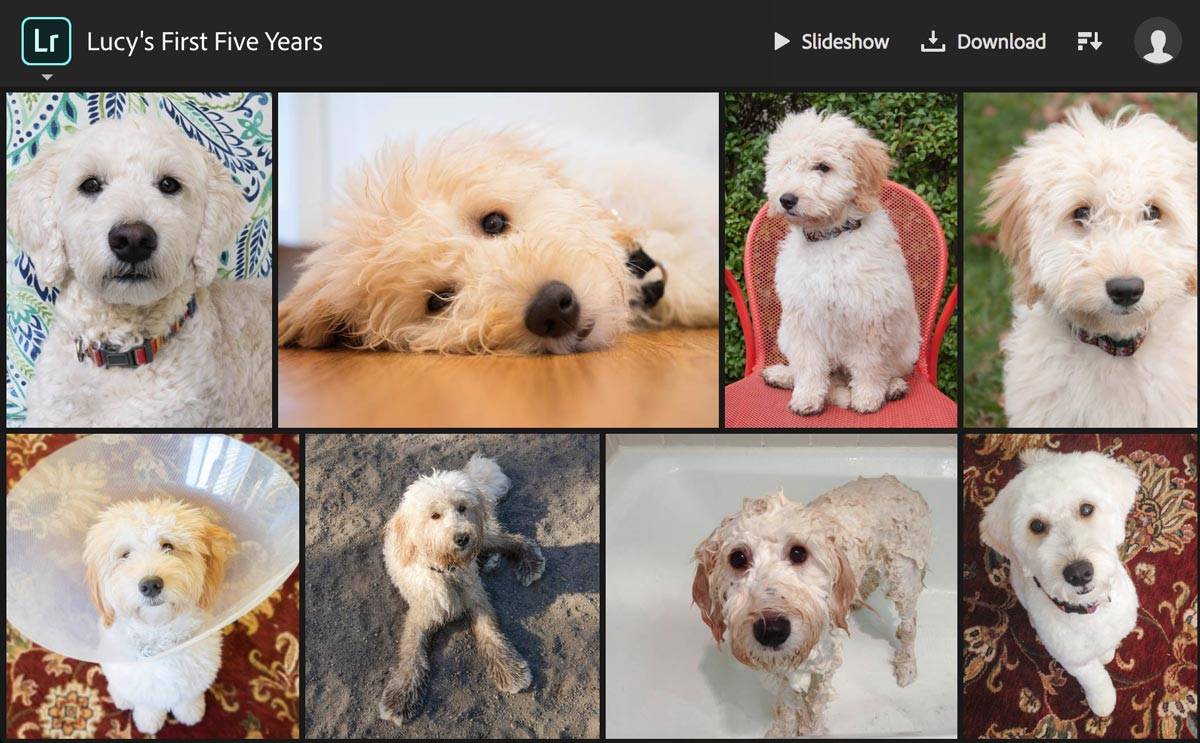
Shared collection / album viewed in a web browser
In single-photo view, captions are displayed below the photo to the left [1]. Visitors can view information about the photo [2]; comment on and like the photo if they sign in with an Adobe, Facebook or Google ID [3]; and if you choose to allow it, download the photo [4]:
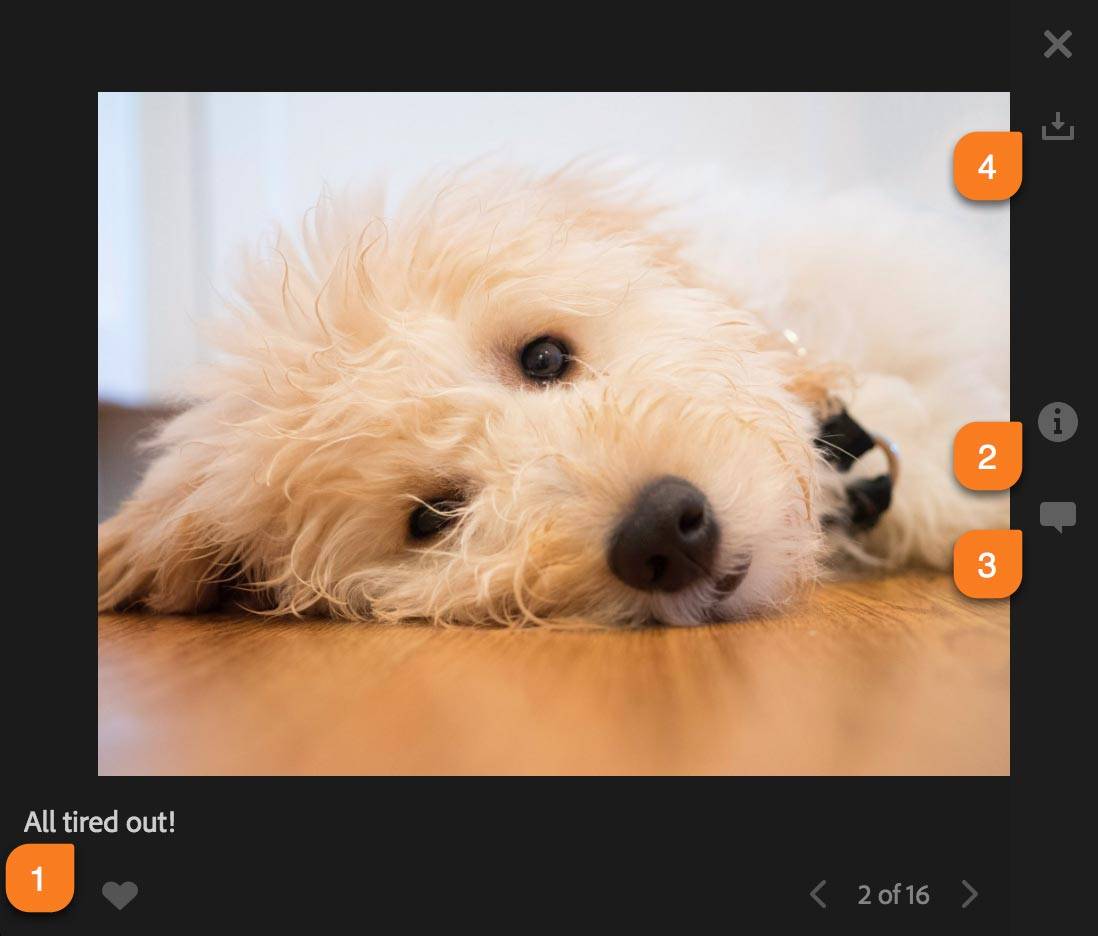
Shared album: single-photo view
How to Share an Album from Lightroom CC
There are fewer steps in the cloud-based Lightroom CC than in Classic CC:
- Create the album and add photos to it that you want to share. The order of photos that you see in the grid will be respected. While you can’t manually change this order, you can choose a different sort order below the grid – or you can use Lightroom Web to change the order: Select your collection, then in grid view click and drag the images to rearrange them, then back in Lightroom CC, change the sort order to Custom Order.
- Optionally, add titles and/or captions to the photos using the Info tab – click on the “i” on the right edge of Lightroom CC, towards the bottom.)
- Right-click on the album name and choose Share Album:
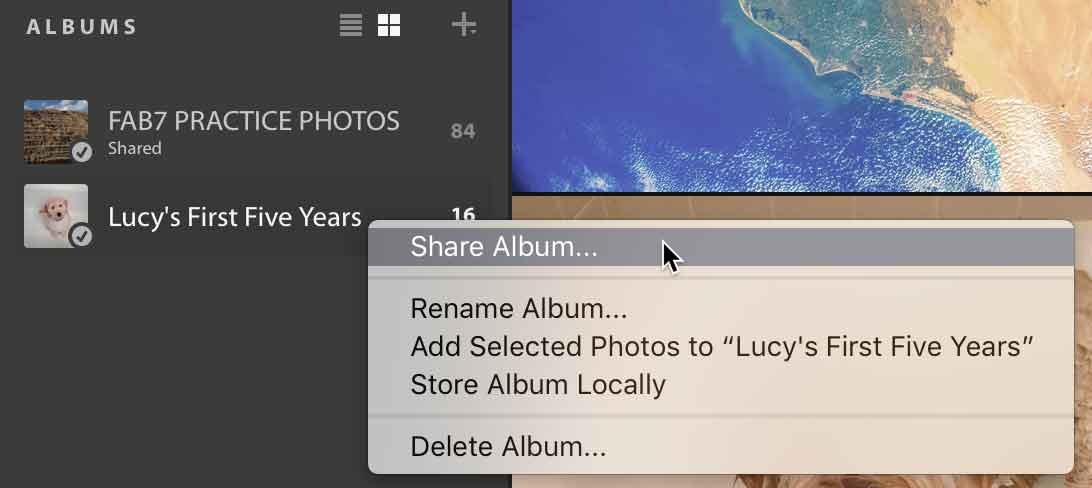
- Click on Copy to copy the URL to the clipboard:
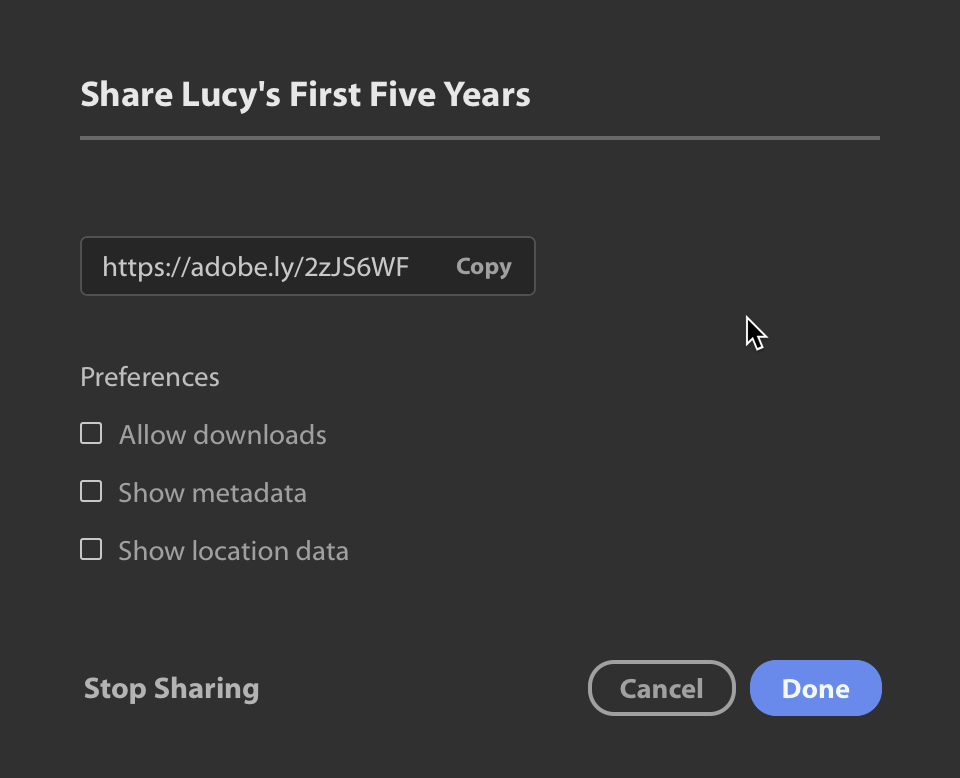
- Check Allow downloads if you want visitors to be able to download your photos. (If photos were imported directly into Lightroom CC, the downloads will be full-size copies. If the photos have been synced over from Lightroom Classic, the downloads will be at most 2,048 pixels on their longest edge.)
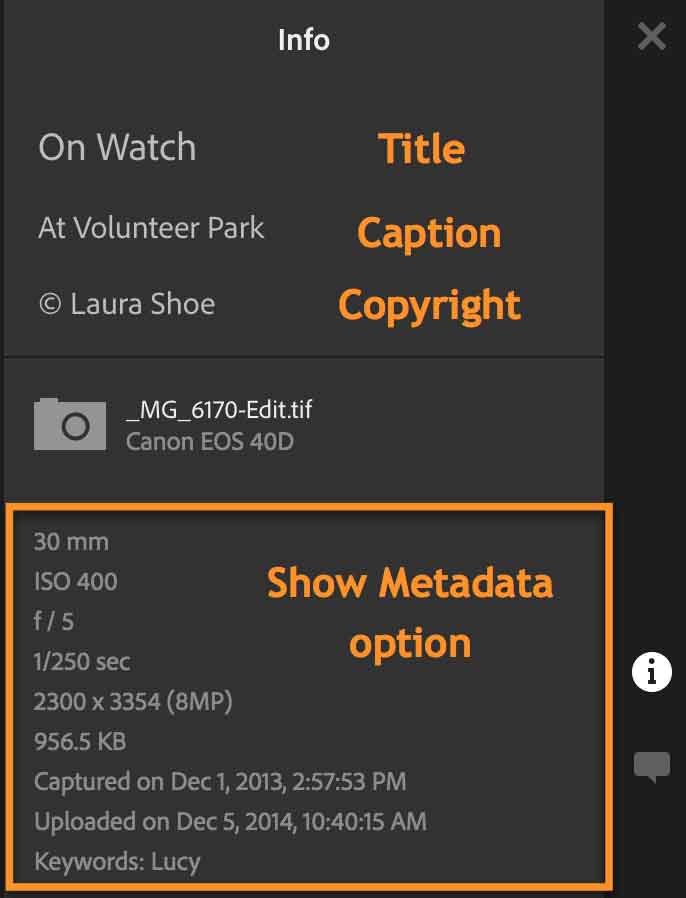
- Check Show metadata and Show location data for this to be displayed in single-photo-view.
- Click on Done.
Information displayed on the Info tab in single-photo view:
- Paste the link (with Cmd-V on Macs; Ctl-V on PCs) into an email, a Facebook post, your website, or anywhere you want to communicate to people that your album is available!
- There’s no way to view and respond to comments and likes in Lightroom CC Desktop, and you won’t be notified there or by email of comments and likes, but Lightroom CC on your mobile device will notify you and allow you to view and respond. You can also do so on Lightroom Web. Note though that people who comment will not be notified of your responses.
- To cancel the link and stop sharing, right-click on the Album name and choose Stop Sharing.
How to Share a Collection from Lightroom Classic
 Sharing a collection takes a couple more steps in Lightroom Classic, since photos aren’t already in the cloud.
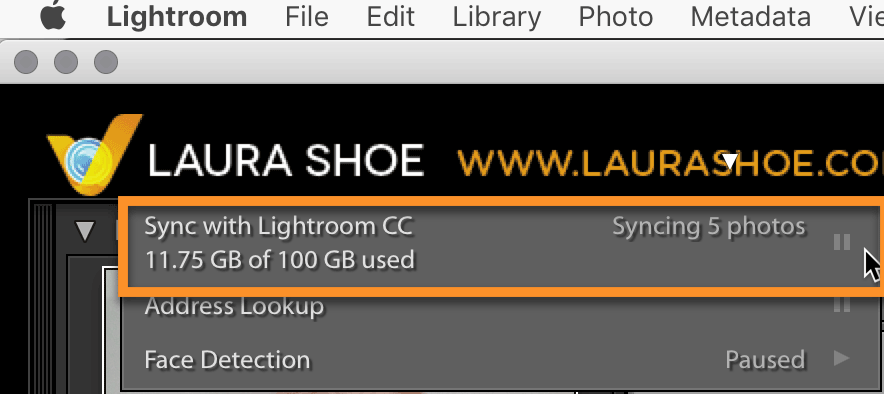
- Turn syncing on: click on the Identity Plate (logo area) in the top left and hit the Play button next to Sync:
- Create a collection, add the photos to it that you want to share, and arrange them in the order desired (by dragging from within image thumbnails – not from the gray borders).
- Optionally, add titles and/or captions to the photos using the Metadata panel in the Library module (right side, towards the bottom.)
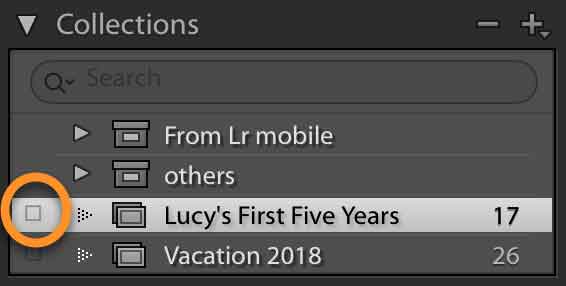
- Click in the box to the left of the collection to sync it to the cloud. Note that this does not make the photos public!
- Select the collection and then click on the Make Public button in the top right above the grid:
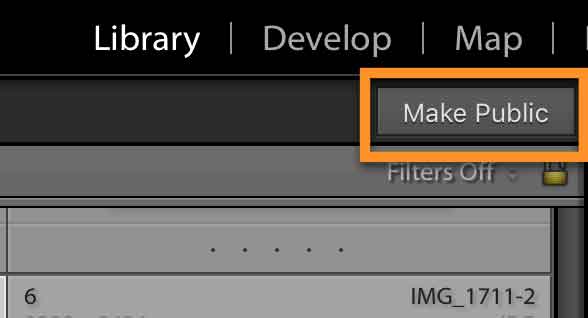
This does not make your photos accessible to the whole world – only those you give the URL/link to will be able to view them. The Make Public button will turn into a Make Private button, and next to it you’ll find the URL that you will share with people.
- Copy the URL: right-click on it and choose Copy to Clipboard. (There’s a bug on Mac – Ctl-click will not work as a substitute for right clicking. Touchpad users: double-tap on the touchpad. One-button Mac mouse users: right-click on your collection in the Collections panel, and choose Lightroom CC Links>Copy Public Link. If the option is grayed out but the collection is public, try closing and reopening Lightroom.)
- Advanced settings: Unlike with Lightroom CC, there are no options in Lightroom Classic to allow downloads, show metadata, and show location data. (See descriptions of these above in the Lightroom CC section.) However, you can set these options on Lightroom Web. Out there, select your collection, click on Shared above the grid, and choose Share Settings. Check the options you want, click Done, then close Lightroom Web and go back to Lightroom Classic. Downloads will be at most 2,048 pixels on their longest edge.
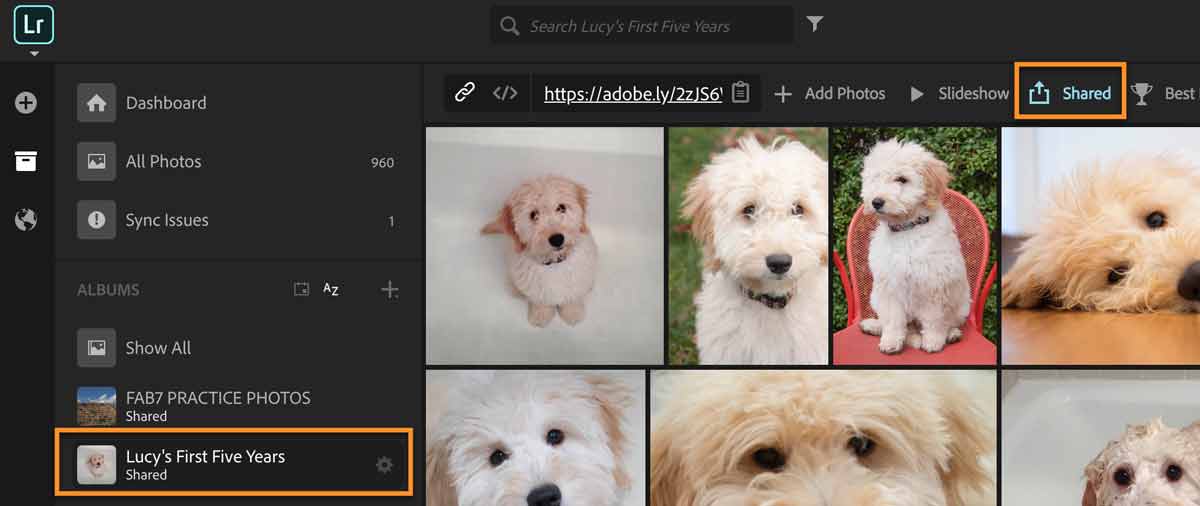
- Paste this link (with Cmd/Ctl-V) into an email, a Facebook post, your website, or anywhere you want to communicate to people that your collection is available!
- You can view visitor comments and likes and respond to comments in the Comments panel in the Library module (bottom right):
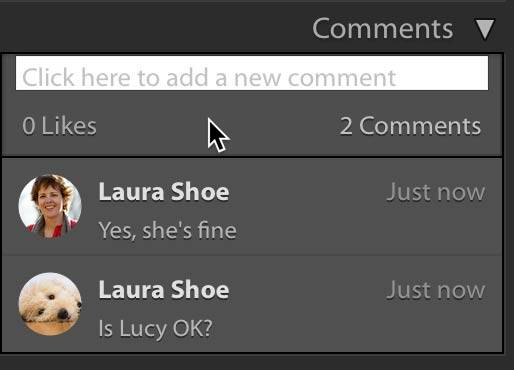 You won’t be notified by email of comments, but in Lightroom Classic you’ll find a small orange symbol on the collection and on commented-on images, and if you have Lightroom CC on your mobile device, you’ll get notifications there. Note though that people who comment will not be notified of your responses.
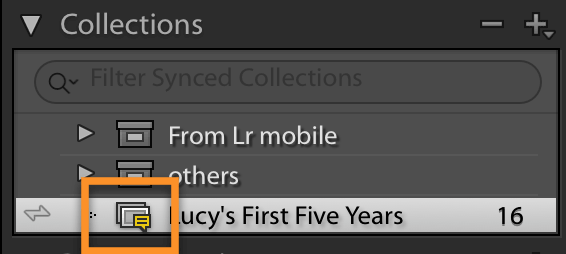
- To cancel the collection link and make the collection private, click on the Make Private button above the grid, or right-click on the collection and choose Lightroom CC Links>Make Collection Private. Turning off syncing for the collection (by clicking on the sync symbol to the left of the collection name) will also cancel the link.
Enjoy!