
Do any of these happen to you?

  • You have to crop a photo, perhaps because it isn’t straight or you applied lens corrections, but the crop cuts out something you really need?
  • Something in your photo is right on the edge of the photo, and needs to be moved up a bit?
  • You need to fix two things that are really close to each other, and the spot removal tool won’t let you?

If so, you will want to watch my 5 minute video here showing some cool tips for using the Lightroom spot removal tool.  They won’t always work, but when they do they are quite handy. These tips apply to all version of Lightroom, and to Camera Raw as well.
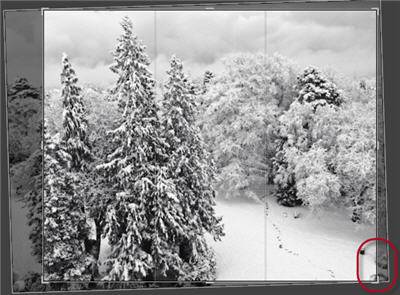
Lightroom-crop-spot-removal
I find that the more I challenge the spot removal tool, the more I discover that it can do for me.  Yes, it still has its limits, but it is much more powerful than it initially appears!

Related Content:


Video on the fundamentals of using the spot removal tool (with some advanced tips, too)  from Lightroom Fundamentals and Beyond: A Workshop on DVD in which I teach the fundamentals of using the spot removal tool (as well as some advanced tips).
Putting One Spot Removal Fix on Top of Another
The Difference between Heal and Clone in the Spot Removal Tool

Enjoyed this article? Enter your email address below to sign up for updates on new content:

  5 Responses to “Lightroom Video Tip of the Week: Using the Spot Removal Tool to Get Back What You Cropped Out!”

  1. That is so cool. There are so many times I could have (and will) use this. I love your tutorials!!

  2. You’ve moved my understanding of lightroom on a little more! Very useful, as I have been flummoxed several times with one spot removal circle stopping me working on the adjoining area.

    NB. Have you seen possibilities for Galleries from The Turning Gate …?

    • Thanks for the note, Chris, good to hear! I haven’t had time to revisit The Turning Gate in quite a while — but I was impressed when I did check them out.

  3. Great tip; I look forward to learning more as I follow along.

 Leave a Reply

(required)

(required, but will not be displayed)

   
© 2011 Laura Shoe. All Rights Reserved. Adobe®, Lightroom®, and Photoshop® are registered trademarks of Adobe Systems Incorporated. Suffusion theme by Sayontan Sinha